
正如我们所看到的,函数是 Kotlin 代码的基本构建块。在本书中,我们编写了很多函数,都使用 fun 关键字。Kotlin 还给了我们另一种编写函数的方式——lambda!
为了帮助我们学习函数类型、函数引用和 lambda,我们需要去拜访Bert’s Snips & Clips。
Bert 的剪发与剪辑店
Bert’s Snips & Clips是一家提供清爽发型和舒适剃须的沙龙。虽然他对自己的低价感到自豪,但有时他会提供优惠券,给顾客 5 美元的折扣,以进一步降低价格。
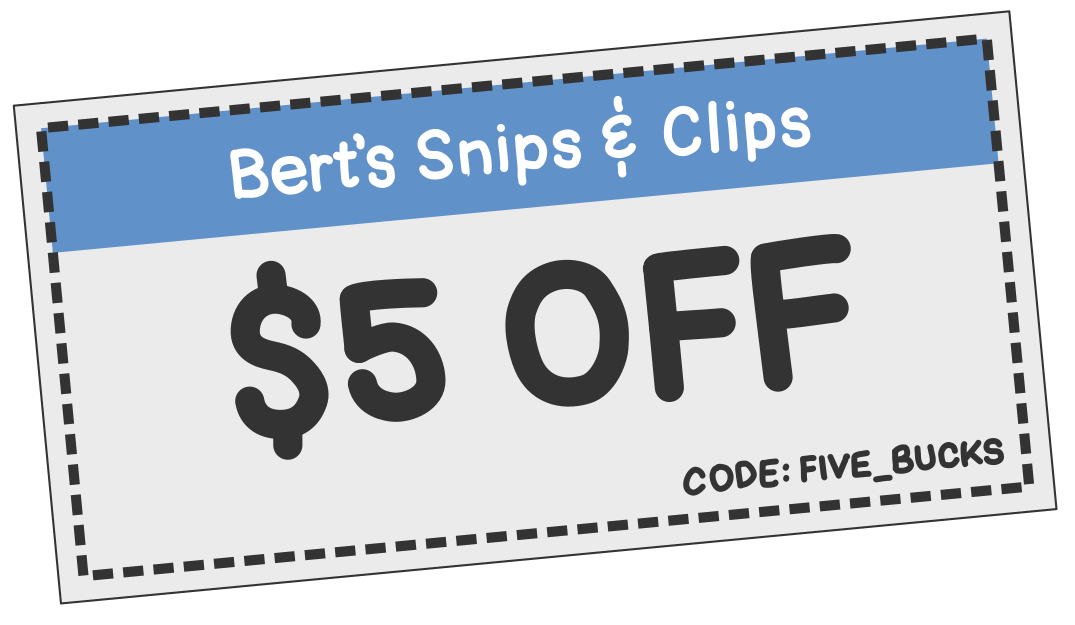
顾客有了新发型后,他需要计算总价,以便向顾客收取正确的金额。Bert 很擅长数学,但为了快速简单地完成计算,他创建了一个简单的 Kotlin 函数来计算总价。
他的函数需要考虑税和五美元优惠券。这是他写的:
// Tax is 9%, so we'll multiply by 109% to get the total with tax included.
val taxMultiplier = 1.09

fun calculateTotalWithFiveDollarDiscount(initialPrice: Double): Double {
    val priceAfterDiscount = initialPrice - 5.0
    val total = priceAfterDiscount * taxMultiplier

    return total
}如果顾客理发花费 20 美元,并出示一张减价 5 美元的优惠券,他只需像这样运行函数:
fun main() {
    val total = calculateTotalWithFiveDollarDiscount(20.0)
    println("$%.2f".format(total))
}当他运行这段代码时,会打印出 $16.35。
有一天,Bert 的一位顾客在家人的理发上花费了很多钱,但她很失望地发现他们只有一张五美元优惠券。为了回馈最忠诚、消费最高的顾客,他决定推出九折优惠券。这样一来,他们在沙龙消费得越多,折扣就越大。
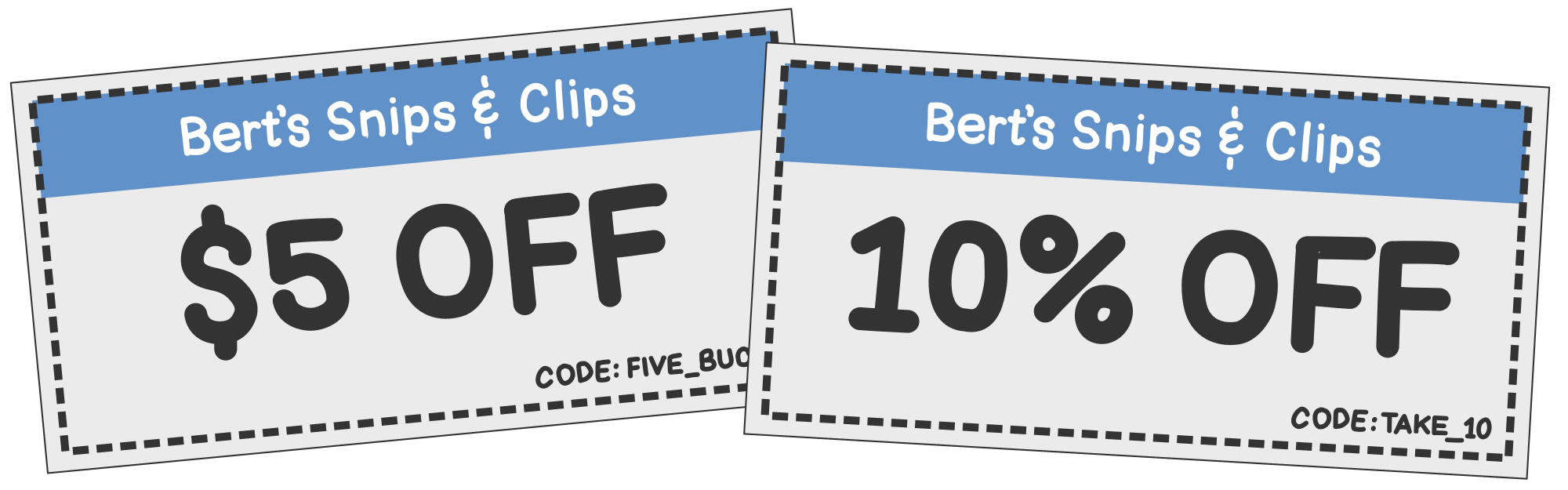
在原有函数的基础上,Bert 创建了第二个函数,用于处理新的百分比优惠券。要计算九折后的价格,他只需将原价乘以 90%。
fun calculateTotalWithFiveDollarDiscount(initialPrice: Double): Double {
    val priceAfterDiscount = initialPrice - 5.0
    val total = priceAfterDiscount * taxMultiplier

    return total
}

fun calculateTotalWithTenPercentDiscount(initialPrice: Double): Double {
    val priceAfterDiscount = initialPrice * 0.9
    val total = priceAfterDiscount * taxMultiplier

    return total
}当他查看这些函数时,发现它们几乎完全相同,只有一小部分不同——即计算折扣价格的部分。
如果他能找到一种方法将代码作为参数传递……那么他就可以将两个函数合并成一个函数,大致如下所示:
fun calculateTotal(
    initialPrice: Double,
    applyDiscount: ???
): Double {
    val priceAfterDiscount = applyDiscount(initialPrice)
    val total = priceAfterDiscount * taxMultiplier

    return total
}换句话说,他只是想告诉 calculateTotal() 每次调用时以不同的方式应用折扣。如果他能将一个函数作为参数传递给 calculateTotal(),问题就解决了。但是,将一个函数作为参数传递给另一个函数?这怎么可能呢?
有了 Kotlin 的函数类型,这很简单!
函数类型简介
早在第 1 章中,我们就看到了如何创建持有值的变量。例如,要创建一个保存文本的简单 String 变量,我们可以这样做:
类似地,参数是函数中的变量,调用代码在调用函数时将值传入其中。例如:
到目前为止,每次给变量赋值或向函数传递参数时,我们处理的都是简单类型(如 String、Int,甚至是更复杂的自定义类型对象,如 Circle)的值。
除了赋值这样的简单值,Kotlin 还允许你赋值函数。
为了演示这一点,这里有一个简单的函数来计算固定金额的折扣,比如五美元优惠券:
fun discountFiveDollars(price: Double): Double = price - 5.0如你所知,你可以像这样调用这个函数:
val discountedPrice = discountFiveDollars(20.0) // Result is 15.0除了调用这个函数,我们还可以像这样将它赋值给一个变量。
val applyDiscount = ::discountFiveDollars注意这两行代码的区别。在 Listing 7.6 中,我们赋值的是函数调用的结果,但在 Listing 7.7 中,我们赋值的是函数本身。
在上面的代码中,::discountFiveDollars 是一个函数引用(function reference)。我们之所以这样称呼它,是因为它引用了一个函数。通过将这个函数赋值给一个变量,就像是给 discountFiveDollars() 起了另一个名字。现在我们可以像调用 discountFiveDollars() 一样来调用 applyDiscount(),而且效果是一样的。1
val discountedPrice = applyDiscount(20.0) // Result is 15.0无论我们调用上面 Listing 7.6 中的 discountFiveDollars(),还是在这里调用 applyDiscount(),结果都是一样的:15.0(即 15.00 美元)。
你可能还记得,每次声明一个变量时,该变量都有一个类型,即使它没有在代码中明确写出来。例如:
val name = "Bert"    // name's type is String
val hasCoupon = true // hasCoupon's type is Boolean
val price = 12.50 // price's type is Double那么,你可能想知道 applyDiscount 变量的类型是什么。
当一个变量持有函数时,它的类型是其所有参数类型和其返回类型的组合。对于 discountFiveDollars() 函数,这些包括一个类型为 Double 的参数和一个类型为 Double 的返回值。
函数的类型可以由以下部分组成:
- 保留其括号
- 保留其类型
- 将冒号
:转换为箭头->。
让我们用 discountFiveDollars() 来做这个。
所以,discountFiveDollars() 的类型是 (Double) -> Double。知道了这一点,你现在可以明确地写出 applyDiscount 的类型:
val applyDiscount: (Double) -> Double = ::discountFiveDollars到目前为止我们所见过的所有类型都没有空格,如 String、Int 和 Double。正如你所看到的,函数类型(如 (Double) -> Double)有点长,但很容易理解!参数类型放在括号内,结果类型放在箭头的右侧。
对于有多个参数的函数,请用逗号分隔参数类型。例如,下面是一个有两个参数的函数——一个 String 和一个 Double——返回一个 String。当把这个函数赋值给一个变量时,该变量的类型将是 (String, Double) -> String。
fun menuItemDescription(name: String, price: Double): String =
    "A $name costs $price before discounts and tax."

val describeMenuItem: (String, Double) -> String = ::menuItemDescription类型相同的两个函数
你可能还记得,如果你有两个相同类型的值,比如两个 String 值,你可以将这两个 String 值赋值(和重新赋值)给同一个变量。
var couponCode = "FIVE_BUCKS"
couponCode = "TAKE_10"类似地,如果你有两个类型相同的函数——即具有相同参数类型和返回类型的函数——你可以将这两个函数赋值(和重新赋值)给同一个变量。
为了演示这一点,让我们引入一个函数来计算九折优惠券的折扣。由于它具有与 discountFiveDollars() 相同的参数和结果类型,我们可以将其中任何一个函数赋值给同一个变量。
fun discountFiveDollars(price: Double): Double = price - 5.0
fun discountTenPercent(price: Double): Double = price * 0.9

var applyDiscount = ::discountFiveDollars
applyDiscount = ::discountTenPercent请注意,参数的名称不必匹配。只需要类型匹配。这段代码的作用与上面的代码完全相同:
fun discountFiveDollars(initialPrice: Double): Double = initialPrice - 5.0
fun discountTenPercent(originalPrice: Double): Double = originalPrice * 0.9

var applyDiscount = ::discountFiveDollars
applyDiscount = ::discountTenPercent对于有多个参数的函数,请记住参数必须按相同顺序匹配。
例如,这里有两个函数。两者都返回一个 String。两者都接受两个参数——一个 String 和一个 Double。然而,由于这些参数的顺序不匹配,这些函数的类型也不匹配,所以你不能将它们赋值给同一个变量,否则会得到错误:
fun menuItemDescription(name: String, price: Double): String =
    "A $name costs $price before discounts and tax."

fun sillyMenuItemDescription(price: Double, name: String): String =
    "You want a $name? It's gonna run you $price, not counting coupons, tax, and whatnot!"

var describeMenuItem = ::menuItemDescription
describeMenuItem = ::sillyMenuItemDescription好的,我们已经成功地将一个函数赋值给了一个变量。这很有帮助,但当我们将函数赋值给一个参数时,事情会变得更加有趣。换句话说,我们可以将一个函数作为参数传递给另一个函数!这正是 Bert 在Listing 7.4中需要的功能。
将函数传递给函数
既然我们已经知道了函数类型是什么,让我们来更新 Bert 的 calculateTotal() 函数。我们将采用上面Listing 7.4,对其进行一些小修改,使其接受一个名为 applyDiscount 的参数,该参数具有函数类型 (Double) -> Double。
fun calculateTotal(
    initialPrice: Double,
    applyDiscount: (Double) -> Double
): Double {
    // Apply coupon discount
    val priceAfterDiscount = applyDiscount(initialPrice)
    // Apply tax
    val total = priceAfterDiscount * taxMultiplier

    return total
}有了这段代码,Bert 可以通过函数引用来调用 calculateTotal()!让我们再定义几个匹配类型 (Double) -> Double 的函数,然后分别调用 calculateTotal():
fun discountFiveDollars(price: Double): Double = price - 5.0
fun discountTenPercent(price: Double): Double = price * 0.9
fun noDiscount(price: Double): Double = price

val withFiveDollarsOff = calculateTotal(20.0, ::discountFiveDollars) // $16.35
val withTenPercentOff  = calculateTotal(20.0, ::discountTenPercent)  // $19.62
val fullPrice = calculateTotal(20.0, ::noDiscount) // $21.80太棒了!Bert 现在能够计算不同类型优惠券的总价,而不需要为每种优惠券创建多个版本的 calculateTotal()!
除了将函数传入另一个函数,你还可以从函数中返回函数!让我们接下来看看这个!
从函数返回函数
与其在每次调用 calculateTotal() 时输入函数名称,Bert 希望能直接输入他从顾客那里收到的优惠券底部的优惠券代码。
为此,他只需要一个接受优惠券代码并返回正确折扣函数的函数。换句话说,它有一个类型为 String 的参数,返回类型是 (Double) -> Double。
when 表达式使这个函数变得简单!
fun discountForCouponCode(couponCode: String): (Double) -> Double = when (couponCode) {
    "FIVE_BUCKS" -> ::discountFiveDollars
    "TAKE_10"    -> ::discountTenPercent
    else         -> ::noDiscount
}当然,我们也可以更新 Listing 7.17 来使用新的 discountForCouponCode() 函数。
val withFiveDollarsOff = calculateTotal(20.0, discountForCouponCode("FIVE_BUCKS")) // $16.35
val withTenPercentOff  = calculateTotal(20.0, discountForCouponCode("TAKE_10"))    // $19.62
val fullPrice = calculateTotal(20.0, discountForCouponCode("NONE")) // $21.80像上面这样的 calculateTotal() 和 discountForCouponCode() 函数,它们接受函数作为参数和/或将其作为结果返回,被称为高阶函数。
到目前为止,我们已经能够使用函数引用完成很多任务!当你已经写好了想要引用的函数时,函数引用会非常有帮助。但是 Kotlin 还给了我们另一种更简洁的方式来将函数赋值给变量和参数——lambda 表达式!
Lambda 表达式简介
你可能还记得第 1 章中的内容,字面量是指你在代码中直接写出一个值。例如,在 Kotlin 中,你可以为 String、Int 和 Boolean 等基本类型创建字面量。下面代码中高亮的部分是作为字面量编写的值。
val string: String = "This is a string"
val integer: Int = 49
val boolean: Boolean = true正如你可以编写 String、Int 和 Boolean 的字面量一样,你也可以编写函数的字面量!
”等等,”我听到你说了,”我们已经一直在写函数了!这有什么区别吗?”确实,我们一直在用 fun 关键字编写命名函数,但我们从未直接在表达式中定义函数,例如在赋值语句的右侧,或者直接在函数调用内部。
让我们再看一遍本章前面提到的 discountFiveDollars() 函数。我们定义了那个函数,然后使用函数引用将其赋值给了一个变量。它看起来是这样的:
fun discountFiveDollars(price: Double) = price - 5.0
val applyDiscount: (Double) -> Double = ::discountFiveDollars不用 fun 关键字来定义 discountFiveDollars() 函数,我们可以将它重写为一个函数字面量,如下所示:
val applyDiscount: (Double) -> Double = { price: Double -> price - 5.0 }上面代码中高亮的部分是一个函数字面量。在 Kotlin 中,像这样写的函数字面量称为lambda。Lambda 表达式是函数,就像我们到目前为止所写的函数一样。它们只是表达方式不同。要写一个 lambda 表达式,使用左大括号 { 和右大括号 }。然后在箭头 -> 之前写参数,在箭头之后写函数体。
一旦你将一个 lambda 表达式赋值给了一个变量,你就可以使用变量名来调用它。Listing 7.21 和 Listing 7.22 完成的是同一件事,但后者更简洁。
传统函数与 Lambda 表达式
传统函数和 lambda 表达式都有参数和函数体,并计算得出某种结果。但是,与传统函数不同,lambda 表达式本身没有名称。当然,你可以选择将它赋值给一个有名称的变量,但 lambda 表达式本身是匿名的。
Listing 7.22 中的 lambda 表达式表明 price 参数的类型是 Double。然而,在大多数情况下,Kotlin 可以使用其类型推断来推断它。例如,我们可以重写该 listing 并省略 lambda 中参数的类型:
val applyDiscount: (Double) -> Double = { price -> price - 5.0 }Kotlin 知道 price 必须是 Double,因为 applyDiscount 的类型声明了它必须是这个类型。同样,lambda 的结果也必须匹配。
所以,lambda 表达式是在表达式中间创建函数的一种简洁方式。我们上面的 lambda 已经很简洁了,但我们可以让它更加简洁!
隐式 it 参数
如果 lambda 只有一个单一参数,你可以省略参数名和箭头。这样做的时候,Kotlin 会自动将参数名设为 it。让我们重写我们的 lambda 来利用这个特性:
val applyDiscount: (Double) -> Double = { it - 5.0 }这里的代码比原来的 discountFiveDollars() 函数简洁得多!
隐式 it 参数在 Kotlin 中经常使用,尤其是在 lambda 很小的时候,就像这个一样。在 lambda 较长的情况下——我们稍后会看到——给参数显式命名是一个好主意。在后续章节中,我们还会看到 lambda 嵌套在其他 lambda 中的情况,这是另一个更适合使用显式命名的情况。然而,在很多情况下,隐式 it 参数可以使你的代码更容易阅读。
将 lambda 表达式赋值给变量可能很有帮助,但当我们开始将 lambda 表达式与高阶函数一起使用时,事情会变得更加有趣!
Lambda 表达式和高阶函数
将 Lambda 表达式作为参数传递
正如我们上面学到的,高阶函数是那些将函数作为输入(即参数)或输出(即结果)的函数。下面是来自上面Listing 7.16 和 Listing 7.17 的代码,我们使用函数引用将函数作为参数传递给 calculateTotal() 函数:
fun calculateTotal(
    initialPrice: Double,
    applyDiscount: (Double) -> Double
): Double {
    // Apply coupon discount
    val priceAfterDiscount = applyDiscount(initialPrice)
    // Apply tax
    val total = priceAfterDiscount * taxMultiplier

    return total
}

fun discountFiveDollars(price: Double) = price - 5.0
fun discountTenPercent(price: Double): Double = price * 0.9
fun noDiscount(price: Double) = price

val withFiveDollarsOff = calculateTotal(20.0, ::discountFiveDollars) // $16.35
val withTenPercentOff  = calculateTotal(20.0, ::discountTenPercent)  // $19.62
val fullPrice = calculateTotal(20.0, ::noDiscount) // $21.80用 lambda 而不是函数引用来调用 calculateTotal() 很容易。让我们重写上面代码的最后几行来使用 lambda。我们只需要从每个对应的函数中取出函数体,然后将其写成 lambda 即可:
val withFiveDollarsOff = calculateTotal(20.0, { price -> price - 5.0 }) // $16.35
val withTenPercentOff  = calculateTotal(20.0, { price -> price * 0.9 }) // $19.62
val fullPrice = calculateTotal(20.0, { price -> price }) // $21.80当函数的最后一个参数是函数类型时,你可以将 lambda 参数移到括号外面的右侧,像这样:
val withFiveDollarsOff = calculateTotal(20.0) { price -> price - 5.0 }
val withTenPercentOff  = calculateTotal(20.0) { price -> price * 0.9 }
val fullPrice = calculateTotal(20.0) { price -> price }我们仍然在向 calculateTotal() 传递两个参数。第一个在括号里面,第二个在右边外面。
在 Kotlin 中,像这样把 lambda 写在括号外面被称为尾随 lambda 语法。无论你把最后一个 lambda 参数放在括号内还是括号外,它的效果完全一样。不过,Kotlin 开发者通常更喜欢尾随 lambda。
当 lambda 是你传递给函数的唯一参数时,尾随 lambda 语法更加有趣,因为这样你就可以完全省略括号!
例如,这是一个高阶函数,只有一个参数,且该参数是函数类型:
fun printSubtotal(applyDiscount: (Double) -> Double) {
    val result = applyDiscount(20.0)
    val formatted = "$%.2f".format(result)
    println("A $20.00 haircut will cost you $formatted before tax.")
}在调用 printSubtotal() 时,不需要括号!
printSubtotal { price -> price - 5.0 }
printSubtotal { price -> price * 0.9 }除了将 lambda 作为参数使用,我们还可以将它们作为函数结果返回!
将 Lambda 表达式作为函数结果返回
这是上面Listing 7.18中的代码,我们在那里返回了函数引用:
fun discountForCouponCode(couponCode: String): (Double) -> Double = when (couponCode) {
    "FIVE_BUCKS" -> ::discountFiveDollars
    "TAKE_10"    -> ::discountTenPercent
    else         -> ::noDiscount
}我们可以非常容易地用 lambda 替换这些函数引用,就像我们在 Listing 7.27 中对函数参数所做的那样。
fun discountForCouponCode(couponCode: String): (Double) -> Double = when (couponCode) {
    "FIVE_BUCKS" -> { price -> price - 5.0 }
    "TAKE_10"    -> { price -> price * 0.9 }
    else         -> { price -> price }
}包含多条语句的 Lambda 表达式
到目前为止,我们使用的 lambda 都只包含一个简单的表达式。
有时你需要在一个 lambda 中包含多个语句。要做到这一点,只需将每个语句放在单独的行中,就像在任何其他函数中一样。然而,与普通函数不同的是,你不会使用 return 关键字来返回结果。相反,lambda 的最后一行将成为调用的结果。
例如,我们可能想在计算五美元折扣的 lambda 中打印一些调试信息:
val withFiveDollarsOff = calculateTotal(20.0) { price ->
    val result = price - 5.0
    println("Initial price: $price")
    println("Discounted price: $result")
    result
}当我们有一个像这样跨越多行的 lambda 表达式时,按照惯例,将参数和箭头放在与左大括号同一行,如上所示。这是相同的代码,并带有一些标注指示每个部分。
在我们结束本章之前,我们还有一个概念要介绍——闭包!
闭包
Bert 的沙龙现在经营得很好。他能够轻松地计算客户的总价,即使他们有不同的优惠券。让我们看看他的代码,包括 calculateTotal()、discountForCouponCode(),以及他如何调用它们来得到总价。
fun calculateTotal(
    initialPrice: Double,
    applyDiscount: (Double) -> Double
): Double {
    // Apply coupon discount
    val priceAfterDiscount = applyDiscount(initialPrice)
    // Apply tax
    val total = priceAfterDiscount * taxMultiplier

    return total
}

fun discountForCouponCode(couponCode: String): (Double) -> Double = when (couponCode) {
    "FIVE_BUCKS" -> { price -> price - 5.0 }
    "TAKE_10"    -> { price -> price * 0.9 }
    else         -> { price -> price }
}

val initialPrice = 20.0
val couponDiscount = discountForCouponCode("FIVE_BUCKS")
val total = calculateTotal(initialPrice, couponDiscount)Bert 发现,当他引入一个新的优惠券时,他需要编写另一个 lambda。例如,如果他添加一个减价 9 美元的优惠券和另一个八五折优惠券,他就需要再写几个 lambda,像这样:
fun discountForCouponCode(couponCode: String): (Double) -> Double = when (couponCode) {
    "FIVE_BUCKS" -> { price -> price - 5.0 }
    "NINE_BUCKS" -> { price -> price - 9.0 }
    "TAKE_10"    -> { price -> price * 0.9 }
    "TAKE_15"    -> { price -> price * 0.85 }
    else         -> { price -> price }
}实际上,这还不错,但他觉得他还可以做最后一个小的改进。优惠券主要有两大类——固定金额和百分比。
他写了这两个函数来匹配他识别的两类优惠券:
fun dollarAmountDiscount(dollarsOff: Double): (Double) -> Double =
    { price -> price - dollarsOff }

fun percentageDiscount(percentageOff: Double): (Double) -> Double {
    val multiplier = 1.0 - percentageOff
    return { price -> price * multiplier }
}需要注意的是,这两个函数本身并不计算折扣。相反,它们创建函数来计算折扣。在 percentageDiscount() 中更容易看到这一点,我们在那里使用的是显式 return 关键字而不是表达式函数体。
这里的另一个巧妙之处是,这些 lambda 使用了在 lambda 函数体外部定义的变量。第一个使用了 dollarsOff 变量(包装函数的参数),第二个使用了 multiplier 变量。当一个 lambda 像这样使用在其函数体外部定义的变量时,它有时被称为闭包。
现在,创建一个新优惠券很容易。Bert 不需要在 discountForCouponCode() 中内联编写 lambda,他只需调用 dollarAmountDiscount() 或 percentageDiscount() 来为他创建 lambda。
fun discountForCouponCode(couponCode: String): (Double) -> Double = when (couponCode) {
    "FIVE_BUCKS" -> dollarAmountDiscount(5.0)
    "NINE_BUCKS" -> dollarAmountDiscount(9.0)
    "TAKE_10"    -> percentageDiscount(0.10)
    "TAKE_15"    -> percentageDiscount(0.15)
    else         -> { price -> price }
}总结
恭喜!Lambda 表达式对于许多以前没有使用过它们的程序员来说可能是一个很难理解的概念。如果你仍然感觉有些不确定,那完全没关系。我们将在后续章节中大量使用它们,你会随着学习的深入而越来越熟悉它们。
在本章中,你学到了:
- 函数类型,例如
(Int, Int) -> Int。 - 函数引用,它允许你将现有函数赋值给变量和参数。
- Lambda 表达式,即函数的字面量。
- 高阶函数,即接受函数作为参数或返回函数作为结果的函数。
- 隐式
it参数,可在 lambda 具有单一参数时使用。 - 多行 lambda 表达式,当你的 lambda 需要多个表达式时可能有用。
在本章中,我们已经看到了一些 lambda 的简单用例,但它们在与集合一起使用时才会真正大放异彩。在< a href="../kotlin-collections/index.html">下一章中,我们将介绍集合,我们将看到如何用 lambda 来做各种有趣的事情!
感谢 James Lorenzen 审阅本章!
-
但是请注意,当你使用变量名调用函数时,不能使用命名参数。 ↩︎
